Monday, 6 March 2023

4 Reasons why Your Website Visitors Aren’t Converting

Table of Contents

Key Takeaways

Website visitors are a valuable asset for your business. But if they aren’t converting and turning into customers, you’re losing out on potential sales and revenue. In today’s competitive market, more and more businesses are looking for ways to convert visitors into clients. After all, who can afford to spend money on a marketing strategy and not see any results?

Unfortunately, not all visitors will go further than your homepage, or simply end up on your website for the wrong reason. Whatever the reason, there are many ways to improve your conversion rates. Remember, even though some visitors may never even reach your sales team, they may still draw paying customers through word of mouth.

In this article, we’ll discuss four reasons why website visitors are not converting – and what you can do to fix them. By learning about these common conversion blockers, you’ll be able to fix your website’s weak performance and boost your profits.

What is the Average SEO Conversion Rate?
Average SEO Conversion Rate

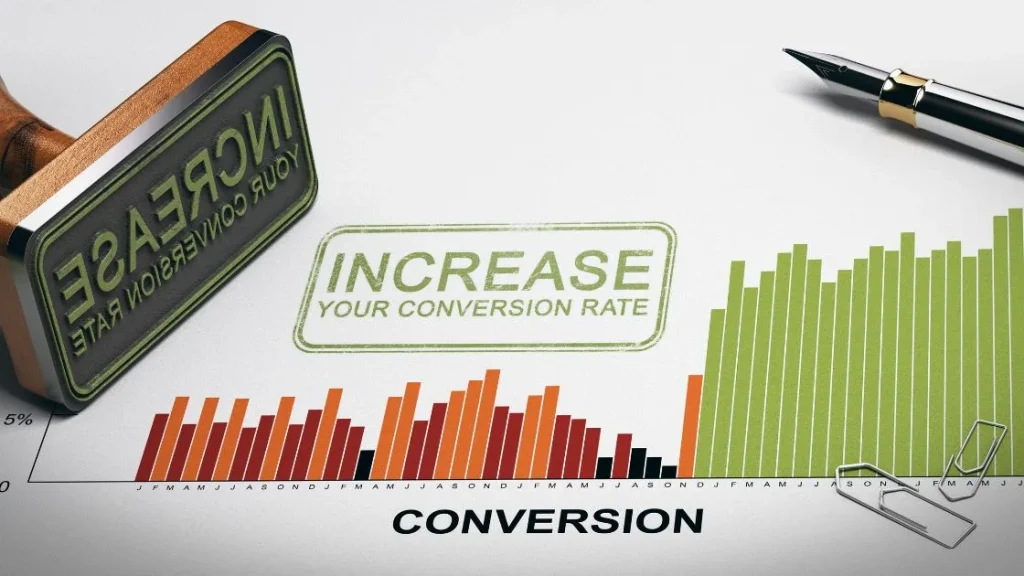
The average website conversion is around 2%. This means that for every 100 visitors who see your website, only 2 of them will convert into a customer.

There are a few factors that can affect this number, including the quality of your website design, the content you provide on your site, site buttons, and more. However, the vast majority of the blame falls squarely on factors that are easy to improve on.

Not sure whether your rate is up to scratch? Here are a couple of ways to measure your conversion.

  • Landing page: This involves making sure that your home pages are optimized for Conversion Rate Optimization (CRO). This includes things like testing different content and images, as well as adjusting your CTA (call-to-action) buttons and other elements on the page.
  • Web traffic analysis: You can also use web traffic analysis tools to track your website traffic, what pages users visit, and what kind of content they engage with. This will give you an idea of which pages are attracting a target audience better than others.
  • Customer feedback forms: Ask visitors whether they found what they were looking for on the site, how easy it was to find what they were looking for, and if there was anything else they would like you to know. This user experience will help you identify any areas where you need to improve your website or marketing campaigns. This is especially easy to accomplish once they have signed up for your newsletter or provided contact details.

Unclear Topic/Headline

unclear headlines

Your visitors won’t bite if you are using confusing or conflicting headlines for your landing or product page, or blog. A good headline will help attract more visitors into leads, subscribers, or customers. Be concise and describe exactly what the page is about. By doing this you are getting visitors who are visiting your site for the right reasons.

For example, if you’re selling a product, your headline should be something that accurately reflects what the product is. For example, if the headline of your product is ”SEO Tools“, your landing page’s headline might be “Top Innovative Search Engine Optimization tools”. This way, you make it easier for people to understand what you’re offering and why it’s worth their time.

By using catchy headlines that accurately reflect what’s on the landing page, you can maximize your turnaround rates. So make sure that you’re testing different headlines on different pages in order to find the one that works best for your audience.

Headlines are one of the most important factors in swaying visitors into customers. Not only should your headline be intriguing and engaging, but it should also be clear and concise. If a visitor doesn’t understand what the article is about, they’re likely to leave without taking any action.

This uncertainty can quickly turn away potential customers – something that you want to avoid at all costs. By using well-written headlines that are easy to understand, you can increase rates by up to 50%. In fact, studies have shown that as much as 70% of people won’t even bother reading an article if its headline isn’t accurate or clearly spelt out.

Just remember: When it comes to content marketing, clarity is key!

By understanding what your potential customers want to see in these headings, you can create conversion-friendly copy that will help you achieve your business goals.

Some of the most common questions site visitors might have are: What do I need to buy? How much does this cost? Can I try it first? Here are a few tips for creating Conversion-Friendly Headlines for Your Website:

  • Use headline topics that align with the content on your page. For example, if you’re selling products online, make sure your headline is related to those products (like “Get the perfect gift today!”).
  • Make sure each headline includes a keyword or phrase that has a high search volume. This will help increase traffic from Google and other search engines because people looking for information about that topic will likely be interested in your product as well.
  • Make sure each headline has a specific goal or purpose. For example, one heading might be “What ARE Headline Tips To Convert More Website Visitors?” while another might be “How to Create the Perfect CTA.”

Your Call-to-Action Needs Improvement

Call-to-Action Needs Improvement

Your prospective clients might not be interested in your service because your Call To Action isn’t working well. A Call To Action is a button or link that visitors see on your website, and it’s the first thing they see after entering your site. It can also be seen as the manner in which you are requesting the visitor to get in contact with you, sign up for a newsletter, or request them to take other actions.

A call to action is the part of your website that tells your visitors what they need to do next in order to acquire the benefits that you have to offer. It should be clear and easy to understand, and it should also be persuasive enough to make them take action.

Using a call to action in your content can help move visitors through your website more quickly and encourage them to take the actions you want them to. Calls to action can be anything from simple button clicks or forms, to deeper engagement opportunities like contests or surveys.

By positioning your calls to act appropriately, you can increase the likelihood that people will take the actions you desire.

What are the benefits of making concise and easily accessible CTA buttons?

  • It helps you capture visitors’ attention and motivate them to take the next step.
  • It encourages visitors to sign up for your email list or download your free resource.
  • It can also lead them to buy something from you on Amazon or elsewhere online.
  • It can even result in a call from you!

Creating an eye-catching call to action is essential for generating leads and driving conversions. Whether you’re a small business owner looking for ways to boost your marketing efforts, or a content creator looking to get more people to take action, here are a few tips on how to create effective CTAs.

  • Start with the “why” of your offer. Why would someone want to do what you’re asking them? What’s in it for them? Make it clear and concise so that people understand why they should choose you over the competition.
  • Use catchy copy that is easily read and rememberable. Keep things simple but compelling – don’t use too many words, but make sure each one counts.
  • Include images or videos that reinforce your message and help explain your product or service better. They can also be used as social media posts or email signatures (see below).
  • Create call to actions that work well both on desktop screens and mobile devices – whether users are using laptops, phones, tablets, or anything in between, it is all about easy usability! Tailor yours specifically for whichever platform they’re using most often!
  • Make it easy to understand and click on. Make sure it’s simple, eye-catching, and fits with the rest of your design.
  • Place it near relevant content. Make sure it’s visible but not too distracting, and that it doesn’t take away from the content on your page.
  • Offer a good deal. What better way to get people to take action than by giving them something valuable in exchange?
  • Test different CTAs to see what works best for your audience. There are many different ways to create a CTA, so find one that speaks to them specifically and makes them want to take action right away.
  • Add the most important CTA button where potential clients may see it easily. Most successful digital marketing strategies incorporate CTA’s into the hero text.

In order to create effective CTAs, you need to know what people are likely to do before they make the decision to convert. This can be determined by analyzing how users interact with your site and measuring which actions result in the highest conversion.

Inconvenient Contact Form

Inconvenient Contact Form

Contact forms are an important part of any website, and they’re especially essential if your business relies on email marketing to grow its customer base. Contact forms allow you to collect valuable information from potential buyers directly, which can be used to improve your targeting and conversion.

A poorly designed contact form can negatively impact your rate. Visitors to your website may not feel comfortable filling out your contact form if it’s difficult to understand or doesn’t look professional. A good rule of thumb is to keep the design simple and straightforward, without any unnecessary buttons or graphics. This will make it easier for visitors to input their information, and they will likely find it more convenient overall.

There are a few things that should be included on every contact form:

  • Your website’s name and address (or URL)
  • Other contact details such as phone or PoBox
  • A blank text block where visitors can type their message to you in detail. This way you can easily provide them with the correct information and respond concisely.
  • A clearly labelled ‘submit’ button

There are a few things to keep in mind when designing your contact form:

  • Make sure the form is easy to fill out. All fields should be clearly labelled, and all input should be validated so that you know it has been entered correctly.
  • Use autofill features for as many fields as possible. This will save you time by automatically filling in the data required for each field based on what was submitted in previous submissions.
  • Include a submission button at the bottom of the form so visitors can easily send their information off to your team. This way, you won’t have to spend time manually entering data into every single field!

You Aren’t Promoting your Brands True Advantage

You Aren’t Promoting your Brands True Advantage

One of the most common mistakes businesses make when it comes to online sales is failing to create a selling point that drives conversion. A Selling Point is anything that makes your site visitors want to buy from you, rather than just browse around.

Lack of a clear Selling Point can lead visitors to your site down one or more of several paths: they may leave without buying, they may convert but then never purchase, or they may abandon the entire transaction entirely and never return.

To increase conversion on your website, start by analyzing what makes your site unique compared to other websites in your industry. What are the benefits of purchasing from you? Is there a specific product or service that meets this need? Once you have identified these points, develop marketing campaigns specifically designed towards converting visitors into customers.

Many businesses struggle to create a compelling selling point that will convince future clients to convert into customers. In fact, some studies have even found that as much as 50% of conversions can be attributed to the quality of the selling message. And, unfortunately, many businesses don’t take advantage of this potential because they don’t understand how it works.

The key to converting visitors into customers is finding a message that speaks directly to their needs and interests. This means understanding your audience’s problems and looking for ways you can help solve them. Once you know what sells what you have on offer, find ways to communicate this information in an engaging way using credible sources (i.e., research). Finally, make sure your marketing efforts are focused on driving traffic back toward your sales page so you can close the sale!


source https://webjuice.ie/website-visitors-arent-converting/

Monday, 27 February 2023

The Difference Between an HTML and XML Sitemap

Table of Contents

Key Takeaways

In our previous blog, we covered everything you need to know about XML sitemaps and their benefits to both SEO and the user experience.

Now, you might be wondering; what’s the difference between an XML and HTML sitemap? or  In this post, we’ll discuss the differences between HTML and XML sitemaps. We will also provide tips on how to create a sitemap and use it effectively.

So, whether you’re a small business owner looking to improve your website’s SEO ratings, or a developer looking to create a custom sitemap for your clients, this blog post has everything you need to know.

What is an XML Sitemap? (And Why Should You Care)

difference between an html and an xml sitemap

An XML map is a file that contains information about the websites and every page on your website, such as the URL.s of those pages. It can help search engines determine which pages to index and make your website easier to find for visitors. Essentially, it directs your digital marketing efforts to improve the reach and visibility of your site.

You can create an XML map manually by adding a list of URLs to the file or by using an online tool that generates it for you. Whatever method you choose, a sitemap will allow search engines to easily find and index all of your content. This helps improve your site’s SEO rankings and exposure, which in turn can increase traffic and leads. It’s especially important to create an XML map if you’re planning on making any changes to your website. It’ll let you know which parts are currently working well and which need improvement.

XML vs HTML Sitemaps – What’s the Difference?

XML (Extensible Markup Language) and HTML (Hypertext Markup Language) are two popular tools for organizing and displaying web content. They provide a way to structure and organize data using a markup language, which is easier to read and understand than raw text. However, there are some important main differences between an XML sitemap and an HTML that you should be aware of.

There are many differences between XML and HTML, but one of the most important is how they handle hyperlinks. Hyperlinks in HTML point directly to another page or location on the website, while in XML they have attributes that identify the target URL. This helps search engine spiders find the links and index them properly. Overall, XML and HTML serve different purposes and can be used interchangeably depending on the needs of individual websites.

Let’s take a look at the differences between XML and HTML sitemaps and how they can assist you in your SEO tactics.

XML Sitemap

XML is better suited for generating static output (such as documents or websites), whereas HTML is more suitable for dynamic applications (such as e-commerce sites). Overall, XML is a better choice if you want to create robust and easy-to-maintain websites or documents.

  • XML allows website owners to create a structured database of their content, which can then be used by crawlers to improve their indexes of the site’s pages. This allows search engines to navigate and index the site’s content.
  • An XML sitemap is a structured document that contains metadata about a website’s contents, such as URLs, images, and videos. It can be created using tools like Google Search Console or Webmaster Tools.
  • A well-designed sitemap will include links to all the pages on a site, including those that are not currently active or may have been removed from the site. It will also contain images and other multimedia content.
  • XML sitemaps are more difficult to create and maintain than HTML sitemaps.
  • More structured than HTML
  • Includes links to all pages on a website, including inactive, deleted, and new pages
  • Can include images and multimedia content

Overall, XML is a better choice if you want to create robust and easy-to-maintain websites or documents.

site map

HTML Sitemap

XML is much easier to read, edit, and maintain. It is more versatile and can be used for a variety of purposes. Inversely, HTML is known for having a steep learning curve and is difficult to work with (for a layman). It is more suitable for dynamic applications (such as e-commerce sites).

  • HTML sitemaps allow website owners to create an index of their site’s pages in a format that is easier for users to view and navigate. While it may not be as effective as XML, an HTML Sitemap can still help visitors quickly find related content.
  • An HTML sitemap is a list of links generated by a website that can be viewed in a browser or mobile app. These lists can be generated using tools like Google Search Console or Webmaster Tools.
  • It may not include links to all the pages of a website but will provide the information needed to maintain and improve the site, such as contact information and technical specifications.
  • An HTML sitemap is easier to create and maintain than an XML sitemap.

HTML has the flexibility to adapt to different devices and platforms, while XML may require additional coding or setup. Overall, HTML is an effective way to present and organize information online.

What Type of Websites Need an XML Sitemap

If your website uses a structured, data-driven approach to organizing its content and metadata you would need to implement an XML sitemap. This type of site typically features a well-defined structure that helps users navigate the site and find specific information.

There are several reasons why your website should use XML;

  • First and foremost, using XML will allow you to take advantage of the benefits offered by the World Wide Web Consortium’s (W3C) open-source markup language standard. This standardized format allows you to store and share information in a flexible, organized, and easily readable way.
  • Additionally, using XML will help keep your site consistent and organized, which is an important consideration for any business.

On top of all this, using XML will also make it easier for search engines to index your website, which means that it will be easier for people to find and access. Overall, there are many compelling reasons for your website to use XML.

Should I Have an XML Sitemap or an HTML sitemap?

As we’ve illustrated, both XML and HTML are markup languages. These languages can be easily parsed by search engines, displayed on various devices, and shared online.

It’s important to choose between an XML or HTML sitemap depending on your needs and the type of website you’re building. For example, an XML-based website may require a more structured and detailed sitemap while an HTML-based website may prefer an easier-to-view list. You should also factor in which type of site you’re working with. So, think about what kind of content your website contains before making a decision.

Ultimately, it depends on your needs and the type of website you have. There are pros and cons to each method, so it’s up to you to decide which one works best for your needs.

site map board

Are there any Risks to Having a Sitemap?

There are several risks involved, that we will consider below;

  • It can cause errors and failures in your website’s SEO rankings if not created and maintained properly.
  • Can consume valuable bandwidth and storage space on your server.
  • It can misrepresent your website’s content, which could make visitors confused or frustrated.
  • Could possibly become outdated and no longer reflect your website’s current content and structure.
  • Sitemaps can be difficult to update and maintain as new content is added to your site.
  • If not maintained properly, an XML or HTML sitemap can contain outdated or inaccurate information, making it a potential source of confusion for visitors.

As long as you are prepared to maintain the sitemap and give the necessary precautions and action your sitemap will do a lot more good than damage.

So how do you maintain a sitemap in order to avoid any potential risks?

A good way to maintain an XML or HTML sitemap is by regularly updating it. This will allow search engines and web crawlers to easily find the latest versions of your website’s content. You can also use sitemap generators, such as the ones offered by Google and Bing, to generate a sitemap for you. These tools will help you create a comprehensive and up-to-date list of all the pages on your website. Finally, consider using a sitemap generator that is designed for managing complex websites, such as indexing services like DNN or WordPress.

It All Comes Down to XML

If you’re looking to improve the visibility of your site or make it easier for search engines to index your content, you’ll need to create an XML sitemap. An XML sitemap is a type of website map that is used to index and crawl your site. By creating an XML sitemap, you can ensure that all of your pages are included in search engine results and that visitors can easily find the information they’re looking for.

If you’re unsure which type of sitemap best suits your needs, contact Webjuice. We’ve got you covered! If all of this sounds a little bit too technical, we can maintain and regularly improve the visibility and accessibility of your site.


source https://webjuice.ie/difference-between-an-html-and-xml-sitemap/

Tuesday, 21 February 2023

What, Exactly, Is an XML Sitemap?

Table of Contents

Key Takeaways

Perhaps you’ve heard about sitemaps, and how important they are to your SEO efforts. But what is the hype about, and, according to Google, do you really need one?

According to Content King:

"An XML Sitemap is a special document that lists all pages on a website and is meant for search engines. Compare it to a telephone book: it tells the search engine what content is available and how to reach it. Furthermore some extra information can be provided, such as when the content was last updated and what the relative importance is of the content."

In short, an XML Sitemap is a document that contains information about the pages on your website. Let’s explain in more detail its functionality – an XML Sitemap file contains information about the contents of a website and its links. It is often used to help search engines better understand a website’s contents and index it more quickly.

In this blog post, we’ll discuss what an XML Sitemap is and how you can use it to improve the visibility of your website. We will also provide tips on how to create a sitemap and how to submit it to Google. These steps are relevant whether you creating a single XML sitemap index or multiple sitemaps. So, if you’re looking to increase the visibility of your website and make it easier for customers to find what they’re looking for, read on!

What’s the Purpose of an XML Sitemap?

Xml

An XML sitemap has a structured format that can be used to specify the contents of each page or section within the website. This allows search engines to effectively identify and create a sitemap index of all the pages. Without a sitemap, Google won’t index your website properly.

Sitemaps are also useful for you as a website owner. You can use them to determine which pages are most popular and improve their overall online visibility. By creating an XML sitemap, you can ensure that the site’s content is being properly presented to potential visitors and in turn, increase an online presence.

Finally, you can also use your XML sitemap as a way of communicating your site’s structure and content to third-party developers. This is useful if they are building applications or tools for their websites.

Many of the best SEO strategies for using XML involve incorporating it into your website’s content management system (CMS). This can help you to easily manage and organize your website’s content, making it easier to update and maintain. In addition, incorporating XML into your website’s code can help protect you from potential security breaches.

One popular strategy for using XML is to create rich-content sites with structured data. This allows you to collect valuable information about your users and their interactions with your site. This is valuable to improve the user experience and generate more targeted advertising. Additionally, structured data makes it easier for search engines to index your site, providing greater visibility and attracting more visitors.


What are the Benefits of an XML Sitemap?

An XML sitemap provides several benefits to you as the website owner, as well as the users;

  • First, it improves search engine optimization (SEO) by providing a list of specific pages within a website. This can help improve the visibility of your pages in SERPS.
  • Next, an XML sitemap can ensure that visitors can find the right information when visiting a website. A list of all the pages on a website can help prevent users from becoming lost or confused while navigating.
  • Finally, an XML sitemap can be used as an internal tool for managing and maintaining a number of your websites. It allows you as an owner or SEO manager to easily manage and update individual pages within a site’s structure

All in all, you can expect a massive difference in traffic to your website and the ability to convert visitors into valuable customers in the long run. Submitting your XML sitemap to Google will also help you determine which pages in your sitemap are most important for SEO purposes. Google relies heavily on keyword density when ranking websites. By submitting your sitemap, you can ensure that all the relevant keywords are included in the document.

How to Create an XML Sitemap?  

You have several different tools at your disposal to create an XML format site map. Some of the most popular sitemap generators include Google Maps, Microsoft Word, and Adobe Acrobat. It is important to note that not all websites will require an XML sitemap; however, it is a good practice to create one if your website contains significant content pages. This will tell search engines what you are about, and how relevant you are to the searched content.

Xml-structure

Step 1: Gather all of your sites’ URLs

This will help you create an XML sitemap that can be used to generate search engine results for your site.

To do this, you will need to input all of the URLs of your website(s). You can either use the URL bar on your browser or input the URL into a text editor like Notepad. Once you have gathered all of your URLs, it’s time to start assembling your XML or HTML sitemap. (Make sure to read our next blog to find out the difference between the two types of sitemaps.)

XML sitemaps are composed of two main parts: the content and the structure. The content part contains all of the individual pages on your website, while the structure part includes information about how those pages are organized.

The most important part of the structure section is the sitemap index file, which is responsible for listing all of your pages in reverse chronological order. This makes it easy for search engines to properly find and index your pages.

Step 2: Code the UrlS

Now that you have gathered all of your URLs and created a content and structure index file, it’s time to create the XML sitemap itself.

To do this, open up a text editor like Notepad and enter the following code: <url> <locale>en_US</locale> <lastmoddate/> </url> ‘’where URL is the URL of one or more of your website pages’’ The locale is either “en_US” or “fr” The last mod date is the date/time that the page was last modified, and default is “now”.

For example, if you have a website with the URL http://www.forexample.com and the locale is “en_US”, your XML sitemap would look like this: <url>http://www.forexample.com</url> <locale>en_US</locale> <lastmoddate/> </url>

Now that your XML sitemap is complete, it’s time to submit a sitemap to Google!

To do this, you will first need to create a file called “Sitemap.xml” in your website’s root directory and add the following code: <urls> <url>http://www.forexample.com</url> </urls>

Next, append the contents of your XML sitemap file as a child document of this “Sitemap.xml” file. Finally, make sure that you set the MIME type for both files to “application/xml” and “application/xhtml+xml”, respectively.

For example, if your website’s root directory is located at www.forexample.com, the final file structure would look like this:www.forexample.com/(Sitemap)www.forexample.com/Sitemap-1x2a7843c-237e-4bae-8f5a-bdd591bb548d_.xml.

Xml-code

How To Submit Your Sitemap For Your Website to Google Console

To submit a sitemap in Google, you need to provide detailed information about your site’s structure, including its HTML code, links, and other metadata. A good way to begin is by taking note of any existing URLs on your website and providing those in your sitemap. It is also a good idea to include any relevant keywords or phrases that you want to be included in the index for your site.

  • Sign into Google Search Console and click “Sitemaps” in the left sidebar

To submit an XML sitemap, sign into Google Search Console and click “Sitemaps.” Under “Webmasters,” click “Create a new Sitemap.” You will then be prompted to enter a name and description for your sitemap. Next, you will need to input the URLs of all the webpages that should be included in your sitemap. Finally, you will need to decide whether you want your sitemap to be public or private.

  •  Add the URL of your sitemap at the top of the page where it says “Add a new sitemap”

To submit your XML sitemap for your website, you need to add the URL of your sitemap at the top of the page where it says “add a new sitemap.” Here’s how to do that:

Click on “Sitemaps & Reports” in the left-hand navigation menu.

Under “Sitemaps,” click on “Create a New Sitemap.”

On the “Sitemap Settings” page, enter the following information:

  • Title: “My Sitemap”
  •  Description: A description of your sitemap
  • URL: The URL of your sitemap (e.g., http://mydomain.com/sitemap.xml)
  •  Inclusion Level: Automatic (default) or Customized for Each Site

Click on “Upload File.” You will then be taken to a page where you can select the file that contains your sitemap XML file.

  • Click submit and Google will crawl your newly created XML sitemap

This process can take some time, so be patient. It can take a while for crawlers to, well, crawl a single XML sitemap and look for sitemap errors. Once it’s complete, you’ll be able to see the results on your Google search engine results page.

Next, copy the URL of your Google search results page and paste it into a browser. You will now be able to see all of the pages on your website that were indexed by Google.

Xml

Set Up a Sitemap - Help Search Engine Crawlers

Many SEO experts believe that using XML Sitemaps is one of the best ways to improve your website’s SEO. The reason for this is twofold: first, it allows you to document all the important aspects of your website. This includes an image sitemap, video sitemap, titles, metatags, and descriptions. Secondly, it makes your website easier for search engines to find and index.

Though XML Sitemaps is an essential component of any effective SEO strategy, there are some considerations that you need to take into account. First, make sure that you use the correct version of XML Sitemap – there are several different versions available on the internet, and only one will work with Google’s search engine.

Finally, ensure that your XML Sitemaps document is up-to-date – periodically review it to make sure that all the relevant information has been included. And let’s not forget to make sure that you submit your XML sitemap file correctly – failing to do so may result in penalties from Google.


source https://webjuice.ie/xml-sitemap/

Thursday, 16 February 2023

10 Best Google Analytics Alternatives for 2023

Table of Contents

Key Takeaways

Google Analytics is one of the most popular tracking tools available, and for good reason. The free plan offers a wide range of features and has a long history as some of the best and most effective analytics software. However, Google Analytics isn’t the only option available. Several other alternatives may be better suited for your specific needs.

Here are four reasons to consider using an alternative to Google Analytics:

  • Alternative tracking platforms offer greater flexibility and customization than Google Analytics does. They allow you to track more data points, measure different aspects of your website traffic more accurately, and generate more detailed reports.
  • Alternative tracking platforms are often faster and easier to use than Google Analytics. They integrate with various applications and browsers without any extra steps or plugins required – just install the plugin and start collecting data!
  • Alternative tracking platforms often have stronger security measures in place than Google Analytics does. This means that your data will be less vulnerable to infiltration by third parties or accidental deletion by staff members.

In this blog, we will take a more in-depth look at other analytics tools that can work for you.

1 – Clicky

google analytics alternatives

Clicky is an alternative analytics solution that boasts a variety of features. It is an excellent choice for small businesses. Some of its key features you can look forward to include real-time tracking, detailed data analysis, and the ability to import your data into Clicky in seconds.

Another great thing about Clicky is that you can either use the free version for up to 21 days or get the full plan for as little as $9.99 for a month. This makes it an ideal option for businesses on a budget who want to get started with Google Analytics without spending too much money.

It’s easy to use and provides you with a ton of valuable information that can help you improve your marketing strategy. Clicky provides one of the most variable pricing varieties including free, Pro, Pro Plus, Pro Platinum, and a custom option. With the free version, you can expect one website, all the basic features such as real-time data, and more.

Benefits Overview

  • Compatible with GDPR
  • Heatmap tracking
  • Backlink analysis
  • Real-time reporting on data traffic
  • Compatible and easy to use on mobile

2 – Matomo

matomo

Matomo also has some great features that make it stand out. For example, it allows you to see detailed data about how people interact with your website (including how long they spend on each page and which pages are the most popular). Additionally, it provides you with insights into your website’s traffic source, conversion rate and more.

With a zoned focus on security and privacy, more than 1.4 million high-risk websites have opted for their services instead of using Google Analytics.

Overall, Matomo is a great choice for anyone looking for an affordable and reliable Google Analytics alternative.

Matomo provides two different price options including the free and cloud version. The cloud version will cost you $23.

Main Benefits

  • Past data gathered through Google Analytics can easily be imported
  • Tracks ALL user and traffic data accurately.
  • You own all the data found through Matomo
  • Boasts various behavioural analytics including heatmaps and session recordings.

3 – Piwik PRO

piwik pro

Piwik PRO is a great Google Analytics alternative for the new year. It’s fast, and efficient, and lets you customize your reports to get the data you need, the way you want it. Plus, it has a wide range of features that will make it easier for you to track your website’s performance.

it offers more fine-grained tracking options, so you can see more detailed data about your website’s traffic and conversion rates. It also has a built-in reporting system that makes it easy to view all of your data in one place.

Piwik PRO provides various pricing options for your needs and budget. Feel free to contact them on their website for current price options.

Main Benefits of Piwik PRO

  •  Full control of traffic data
  • No data sampling.
  • One of few analytics platforms to provide integrated business intelligence tools.
  • GDPR, HIPAA, and CCPA compliant

4 – Heap

heap

Heap is a Google Analytics alternative that has been gaining a lot of popularity in recent years. It boasts several features that make it an excellent option for tracking website analytics.

One of Heap’s key advantages is its ease of use compared to its advanced services. It’s designed to be as simple and intuitive as possible without sacrificing top-notch features. This makes Heap one of the best high-end programs. This is definitely an option for those who already have some knowledge of SEO practices and how to make use of analytics.

Heap is available for free trial use but also provides other pricing options. Contact them on their website for pricing options.

Benefits of Heap

  • GDPR Compliant
  • Very powerful and offers more fine-tweaking than other web analytics platforms
  • Heatmaps and Session recordings
  • Advanced Segmentation, reporting capabilities, and customizable setting.
  • Availability of auto capture for all traffic data which allows monitoring of live traffic.

5 – Mixpanel

mixpanel

Mixpanel also offers a wide range of reporting options, which makes it easy for you to understand how your website is performing. You can also use Mixpanel to create custom reports and dashboards that will give you an overview of your website’s performance in specific areas.

If you’re looking for a tool that can help you better understand your website’s performance, then Mixpanel is worth considering. It is available for free use and has unlimited data history, core reports, and access to the Mixpanel community. The next step will cost $20 and will include all free features plus Data modelling, impact report, unlimited saved reports, and much more. The advanced package starts from $833 and includes SSO & natural provisioning, accommodations for seasonal traffic, Experiments and signal reports, and advanced access controls.

  • Works for in-app purchases
  • Customizable dashboard options
  • Microtransactions compatibility
  • Robust reports and data visuals
  • Ease of use and quick to set-up

6 - Woopra

woopra

Woopra is one of the best Google Analytics Alternatives for 2023. It offers a user-friendly interface, efficient data processing capabilities, and broad data storage options. In addition, it has a wide range of features that make it an ideal tool for tracking website performance and navigating through your analytics data.

Overall, Woopra is a great Google Analytics alternative that offers many advantages over the standard tool. If you’re looking for a more comprehensive solution that provides a deeper focus on fewer types of data categories then Woopra is a great option. The main focus points of Woopra lie in behaviour, retention, journey, cohort, and journey data categories.

Woopra is available for free use and includes 90-day data retention, Core Analytics, 30-plus integrations, and 500k actions. The next step-up package includes premium support, Advanced Analytics, 2-year data retention, and 5 million actions per month.

Main Benefits

  • Various visualisation settings for reports
  • Analytics categorization
  • High-performance for desktop use
  • Track each step of a user
  • Simple third-party integration with tools such as HubSpot, and Google Ads.

7 - Dreamdata

dreamdata

Overall, Dreamdata is an excellent Google Analytics alternative that provides all the essential features and benefits needed by modern web marketers. If you’re looking for an affordable and comprehensive solution that rivals the standard Google Analytics platform, then Dreamdata should be at the top of your list.

Dreamdaata is more focused on business-to-business analytics rather than the customer-focused platforms on this list.

Dreamdata provides you with FREE B2B web analytics (similar to Google Analytics). But to get the full benefit of using the platform the Team package which is intended for self-services will include CRMS: HubSpot compatibility and Integrations for 10 sources and will cost you $999 pm.

Main Benefits

  • Single and Multi-touch attributions
  • Journey Reporting
  • ROI Tracking
  • Detailed Data Visualizations
  • Custom event tracking

8 – FoxMetrics

foxmetrics

FoxMetrics is a great Google Analytics alternative that offers a wealth of features and customization options. It has a user-friendly design that’s easy to navigate, making it ideal for users who are not tech-savvy. Plus, it offers an extensive array of reports that help you understand your website’s performance in detail.

Furthermore, FoxMetrics stands as one of the best options for using both desktop and mobile sources. The platform boasts standard quantitative analytics features which have been largely used by restaurants worldwide to get traffic data for their websites as well as ordering systems and loyalty platforms. FoxMetrics is also the most popular option for social media analytics.

A bit on the expensive side, FoxMetrics does however provide near-superior services. The lowest price option stands at $399 for a month and this includes unlimited dashboards, reports, and limited data volume. The top price option is $599 and provides you with the ultimate package deal within includes history, 13montsh data, Unlimited Customer reports and Professional support.

Features

  • Conversion Rate Optimization
  • Perfect for social media analytics
  • Customer Data Platform
  • Net Promoter Score

9 – W3Counter

w3Counter

W3Counter is a popular Google Analytics alternative that’s been around since 2004. It offers several features including the ability to track pages and links as well as traffic sources and channels. W3Counter also has its metric system, making it easier to understand your website’s performance.

W3Counter also has a great user interface that is easy to use. It also offers tons of customization options, so you can create reports that are exactly what you need. Overall, W3Counter is a great option for anyone who wants more control over their traffic data.

This is another affordable platform that starts from $10 a month. What makes pricing versatile on W3Counter is the ability to mix and match different price plans to accommodate your needs and budget.
Features

  • Detailed web stats reports
  • Affordable
  • Easy to use
  •  Pricing plans can be chosen to work for multiple websites

10 - Simple Analytics

simple analytics

Simple Analytics heavily focuses on privacy and ease of use. The platform boasts features that you may not expect from a platform this affordable. Used by colleges, libraries, universities, and all sizes of companies this platform have proven to be a great option for your analytics needs.

You can easily create interactive maps and charts as well as reports that use 100,000 data variables to provide you with the most detailed tracking. Simple analytics are available at various price points which start from as little as $9 for the starter pack. This includes access to 1 user to work on 10 different websites and includes aggregated export.

Features

  • Interactive Maps
  • Detailed reports
  • Compatible with exports
  • Business maps reports
  • Rank locations
  • Sharing

Real-Time Analytic Alternatives for a New Business Year

So, why would you choose an alternative over Google Analytics? The answer depends on what exactly you’re looking for in a tracker!

Ultimately, it doesn’t matter which platform you choose, as long as you are able to track your customer journey. After all, in the words of Geoffrey Moore:

“Without big data analytics, companies are blind and deaf, wandering out onto the Web like deer on a freeway.”

Many people find that these other options offer far superior capabilities compared to what was offered by GA until recently. Many of the analytics platforms on this list are among the top-rated platforms for both business and personal use and provide strong benefits over using Google Analytics.


source https://webjuice.ie/google-analytics-alternatives/

Rank and Rent Website – Local SEO Lead Generation 2024

Table of Contents Key Takeaways Author bio and expertise Focus on concise and informative content...