Thursday, 16 February 2023

10 Best Google Analytics Alternatives for 2023

Table of Contents

Key Takeaways

Google Analytics is one of the most popular tracking tools available, and for good reason. The free plan offers a wide range of features and has a long history as some of the best and most effective analytics software. However, Google Analytics isn’t the only option available. Several other alternatives may be better suited for your specific needs.

Here are four reasons to consider using an alternative to Google Analytics:

  • Alternative tracking platforms offer greater flexibility and customization than Google Analytics does. They allow you to track more data points, measure different aspects of your website traffic more accurately, and generate more detailed reports.
  • Alternative tracking platforms are often faster and easier to use than Google Analytics. They integrate with various applications and browsers without any extra steps or plugins required – just install the plugin and start collecting data!
  • Alternative tracking platforms often have stronger security measures in place than Google Analytics does. This means that your data will be less vulnerable to infiltration by third parties or accidental deletion by staff members.

In this blog, we will take a more in-depth look at other analytics tools that can work for you.

1 – Clicky
google analytics alternatives

Clicky is an alternative analytics solution that boasts a variety of features. It is an excellent choice for small businesses. Some of its key features you can look forward to include real-time tracking, detailed data analysis, and the ability to import your data into Clicky in seconds.

Another great thing about Clicky is that you can either use the free version for up to 21 days or get the full plan for as little as $9.99 for a month. This makes it an ideal option for businesses on a budget who want to get started with Google Analytics without spending too much money.

It’s easy to use and provides you with a ton of valuable information that can help you improve your marketing strategy. Clicky provides one of the most variable pricing varieties including free, Pro, Pro Plus, Pro Platinum, and a custom option. With the free version, you can expect one website, all the basic features such as real-time data, and more.

Benefits Overview

  • Compatible with GDPR
  • Heatmap tracking
  • Backlink analysis
  • Real-time reporting on data traffic
  • Compatible and easy to use on mobile

2 – Matomo
matomo

Matomo also has some great features that make it stand out. For example, it allows you to see detailed data about how people interact with your website (including how long they spend on each page and which pages are the most popular). Additionally, it provides you with insights into your website’s traffic source, conversion rate and more.

With a zoned focus on security and privacy, more than 1.4 million high-risk websites have opted for their services instead of using Google Analytics.

Overall, Matomo is a great choice for anyone looking for an affordable and reliable Google Analytics alternative.

Matomo provides two different price options including the free and cloud version. The cloud version will cost you $23.

Main Benefits

  • Past data gathered through Google Analytics can easily be imported
  • Tracks ALL user and traffic data accurately.
  • You own all the data found through Matomo
  • Boasts various behavioural analytics including heatmaps and session recordings.

3 – Piwik PRO
piwik pro

Piwik PRO is a great Google Analytics alternative for the new year. It’s fast, and efficient, and lets you customize your reports to get the data you need, the way you want it. Plus, it has a wide range of features that will make it easier for you to track your website’s performance.

it offers more fine-grained tracking options, so you can see more detailed data about your website’s traffic and conversion rates. It also has a built-in reporting system that makes it easy to view all of your data in one place.

Piwik PRO provides various pricing options for your needs and budget. Feel free to contact them on their website for current price options.

Main Benefits of Piwik PRO

  •  Full control of traffic data
  • No data sampling.
  • One of few analytics platforms to provide integrated business intelligence tools.
  • GDPR, HIPAA, and CCPA compliant

4 – Heap
heap

Heap is a Google Analytics alternative that has been gaining a lot of popularity in recent years. It boasts several features that make it an excellent option for tracking website analytics.

One of Heap’s key advantages is its ease of use compared to its advanced services. It’s designed to be as simple and intuitive as possible without sacrificing top-notch features. This makes Heap one of the best high-end programs. This is definitely an option for those who already have some knowledge of SEO practices and how to make use of analytics.

Heap is available for free trial use but also provides other pricing options. Contact them on their website for pricing options.

Benefits of Heap

  • GDPR Compliant
  • Very powerful and offers more fine-tweaking than other web analytics platforms
  • Heatmaps and Session recordings
  • Advanced Segmentation, reporting capabilities, and customizable setting.
  • Availability of auto capture for all traffic data which allows monitoring of live traffic.

5 – Mixpanel
mixpanel

Mixpanel also offers a wide range of reporting options, which makes it easy for you to understand how your website is performing. You can also use Mixpanel to create custom reports and dashboards that will give you an overview of your website’s performance in specific areas.

If you’re looking for a tool that can help you better understand your website’s performance, then Mixpanel is worth considering. It is available for free use and has unlimited data history, core reports, and access to the Mixpanel community. The next step will cost $20 and will include all free features plus Data modelling, impact report, unlimited saved reports, and much more. The advanced package starts from $833 and includes SSO & natural provisioning, accommodations for seasonal traffic, Experiments and signal reports, and advanced access controls.

  • Works for in-app purchases
  • Customizable dashboard options
  • Microtransactions compatibility
  • Robust reports and data visuals
  • Ease of use and quick to set-up

6 - Woopra
woopra

Woopra is one of the best Google Analytics Alternatives for 2023. It offers a user-friendly interface, efficient data processing capabilities, and broad data storage options. In addition, it has a wide range of features that make it an ideal tool for tracking website performance and navigating through your analytics data.

Overall, Woopra is a great Google Analytics alternative that offers many advantages over the standard tool. If you’re looking for a more comprehensive solution that provides a deeper focus on fewer types of data categories then Woopra is a great option. The main focus points of Woopra lie in behaviour, retention, journey, cohort, and journey data categories.

Woopra is available for free use and includes 90-day data retention, Core Analytics, 30-plus integrations, and 500k actions. The next step-up package includes premium support, Advanced Analytics, 2-year data retention, and 5 million actions per month.

Main Benefits

  • Various visualisation settings for reports
  • Analytics categorization
  • High-performance for desktop use
  • Track each step of a user
  • Simple third-party integration with tools such as HubSpot, and Google Ads.

7 - Dreamdata
dreamdata

Overall, Dreamdata is an excellent Google Analytics alternative that provides all the essential features and benefits needed by modern web marketers. If you’re looking for an affordable and comprehensive solution that rivals the standard Google Analytics platform, then Dreamdata should be at the top of your list.

Dreamdaata is more focused on business-to-business analytics rather than the customer-focused platforms on this list.

Dreamdata provides you with FREE B2B web analytics (similar to Google Analytics). But to get the full benefit of using the platform the Team package which is intended for self-services will include CRMS: HubSpot compatibility and Integrations for 10 sources and will cost you $999 pm.

Main Benefits

  • Single and Multi-touch attributions
  • Journey Reporting
  • ROI Tracking
  • Detailed Data Visualizations
  • Custom event tracking

8 – FoxMetrics

foxmetrics

FoxMetrics is a great Google Analytics alternative that offers a wealth of features and customization options. It has a user-friendly design that’s easy to navigate, making it ideal for users who are not tech-savvy. Plus, it offers an extensive array of reports that help you understand your website’s performance in detail.

Furthermore, FoxMetrics stands as one of the best options for using both desktop and mobile sources. The platform boasts standard quantitative analytics features which have been largely used by restaurants worldwide to get traffic data for their websites as well as ordering systems and loyalty platforms. FoxMetrics is also the most popular option for social media analytics.

A bit on the expensive side, FoxMetrics does however provide near-superior services. The lowest price option stands at $399 for a month and this includes unlimited dashboards, reports, and limited data volume. The top price option is $599 and provides you with the ultimate package deal within includes history, 13montsh data, Unlimited Customer reports and Professional support.

Features

  • Conversion Rate Optimization
  • Perfect for social media analytics
  • Customer Data Platform
  • Net Promoter Score

9 – W3Counter

w3Counter

W3Counter is a popular Google Analytics alternative that’s been around since 2004. It offers several features including the ability to track pages and links as well as traffic sources and channels. W3Counter also has its metric system, making it easier to understand your website’s performance.

W3Counter also has a great user interface that is easy to use. It also offers tons of customization options, so you can create reports that are exactly what you need. Overall, W3Counter is a great option for anyone who wants more control over their traffic data.

This is another affordable platform that starts from $10 a month. What makes pricing versatile on W3Counter is the ability to mix and match different price plans to accommodate your needs and budget.
Features

  • Detailed web stats reports
  • Affordable
  • Easy to use
  •  Pricing plans can be chosen to work for multiple websites

10 - Simple Analytics

simple analytics

Simple Analytics heavily focuses on privacy and ease of use. The platform boasts features that you may not expect from a platform this affordable. Used by colleges, libraries, universities, and all sizes of companies this platform have proven to be a great option for your analytics needs.

You can easily create interactive maps and charts as well as reports that use 100,000 data variables to provide you with the most detailed tracking. Simple analytics are available at various price points which start from as little as $9 for the starter pack. This includes access to 1 user to work on 10 different websites and includes aggregated export.

Features

  • Interactive Maps
  • Detailed reports
  • Compatible with exports
  • Business maps reports
  • Rank locations
  • Sharing

Real-Time Analytic Alternatives for a New Business Year

So, why would you choose an alternative over Google Analytics? The answer depends on what exactly you’re looking for in a tracker!

Ultimately, it doesn’t matter which platform you choose, as long as you are able to track your customer journey. After all, in the words of Geoffrey Moore:

“Without big data analytics, companies are blind and deaf, wandering out onto the Web like deer on a freeway.”

Many people find that these other options offer far superior capabilities compared to what was offered by GA until recently. Many of the analytics platforms on this list are among the top-rated platforms for both business and personal use and provide strong benefits over using Google Analytics.


source https://webjuice.ie/google-analytics-alternatives/

Monday, 13 February 2023

How to Use ‘’Google My Business’’ To Get More Customers

Table of Contents

Key Takeaways

Google My Business is a powerful tool that businesses can use to get more customers. It’s free, and it allows you to track your business’ performance in real time. You can also see which keywords are driving the most traffic to your website, and learn about the people who are visiting your site.

If you’re not using the tool yet, now is the time to start. If you use Google My Business to get more customers, you’ll be able to build a better understanding of how customers interact with your business and figure out ways to improve customer experience even further. If you are already using the product but not getting the results you want, our guide will help you get the most from this helpful business marketing tool.

In the words of Wendy Piersall:


"Google only loves you when everyone else loves you first."

So let’s not waste any time, and create a Google My Business listing!

What is Google Business Profile (f.k.a. Google My Business)?

Google-Business-profile

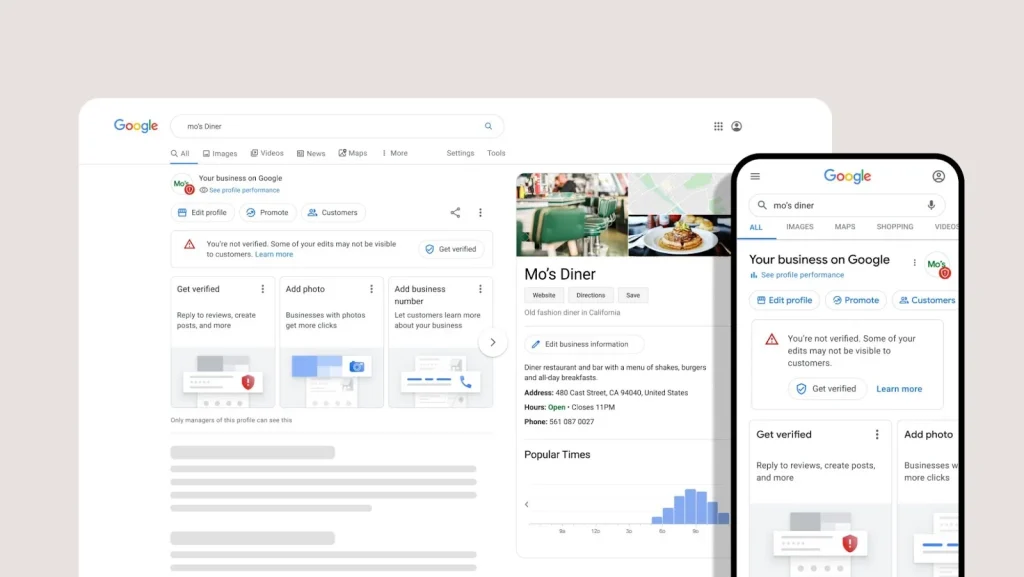
A Google Business Profile is a powerful tool that businesses can use to improve their online visibility, attract new customers and investors, and track key performance indicators through accurate information.

Creating a profile is easy; all you need are some basic information about your business, such as your company name and address, website URL, contact details, etc. Once you’ve created your Google Business Profile, you can start using it to increase your online presence.

By simply creating your business profile on google you will be able to attract local customers even more than advertising in a more traditional way. All locals will easily be able to find your business online through suggestions by Google and be able to contact you and visit your website simply by clicking a button.

Why You Need a Google My Business Account

Other than the obvious reasons behind the importance of online marketing and the vast reach that Google has on reaching the masses, there are still many other reasons why a Google Business account can change the way you do business and attract customers.

You can create pages that include more detailed information about your business (such as services offered, or products sold). You can also set up automated email notifications, so you never miss an important update with your GMB account. And finally, using the “Google Maps” feature allows customers in your area to find you easily on their mobile devices.

Having a Google Business account is essential for any small business owner who wants to stay competitive in today’s digital world. By keeping everything neatly organized within one platform, it becomes much easier for people interested in doing business with you to find and contact you quickly and efficiently.

Some of the benefits of having a Google Business Profile include:

  • Increased customer leads and sales opportunities through better SEO rankings for your website.
  • A better understanding of how customers interact with your business – see what pages they visit most often on the website, what type of content they share on social media channels related to your sector or niche topic(s), and where in the world they are located at any given moment.

Get Discovered in Google (and Google Maps)

One way Google Maps can help your business is by promoting your location on the map as part of sponsored placements. This allows people looking for specific services or products nearby, to see your business name and address prominently displayed. You also have the option of paying Google to have ads placed around your location specifically targeting potential customers.

Another way Google Maps can help you promote your brand is through local search results – this is where users enter either the name of a city or town or a zip code, to find localized content about businesses in those areas.

Control Your Online Business Information

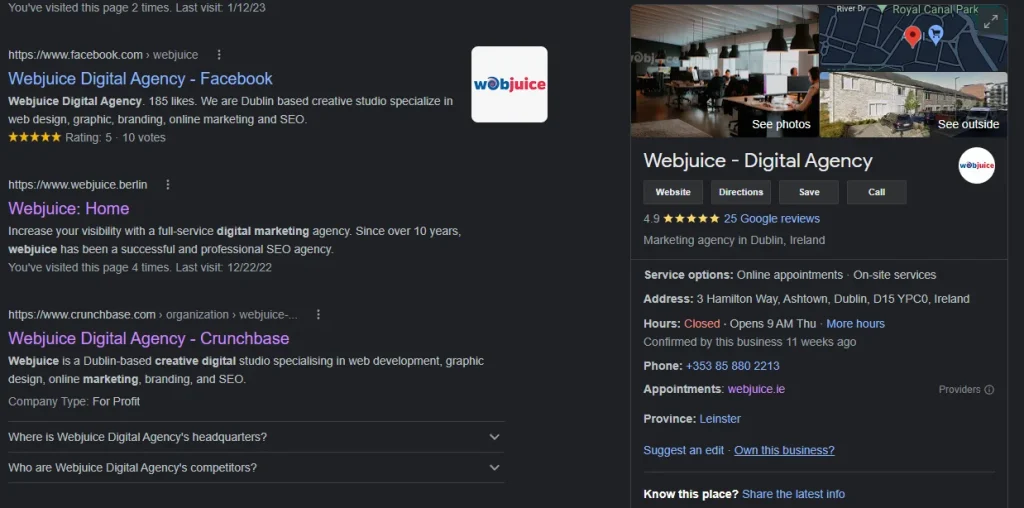
When your business pops up on Google searches through your business profile all information will immediately be visible to potential customers on the right-hand side of your screen. The information includes contact details and a website link button. You can weaselly edit all your business information including new promotions, change of location, and more by simply logging in to your account and changing the details. The updated details will take immediate effect on google search results pages.

Build Trust Through Reviews

Webjuice Digital Agency

Reviews play a fundamental part in growing your business and stepping forward in terms of becoming an essential figure in your specific market. When clients see your business on google search results your profile will immediately showcase reviews that satisfied customers have shared for others to feel assured about dealing with you. Even with negative reviews, you will be able to improve if you are notified of certain problems or factors in your services or products.

How to Set Up a Google Business Profile

Setting up a Google Profile is super easy! All you need is a Google account and a business with a physical address. Below you can see the complete guide to getting started.

Step 1: Sign into Google Business Profile Manager

To get started, first sign into your Google Account (or create an account if you don’t have one). Then visit the “My Business” page (https://www.google.com/mybusiness/) and click on the “Create New Site” button.

Step 2: Add your business

After clicking on “Create New Site” button you can either choose to create your profile or even add a Google My Business website that is free. After creating the website, simply add the domain to your profile, and your business is added.

Step 3: Enter Your Location

Enter your location for your profile to be visible to your nearby community. This will help to get customers from nearby areas and build a positive client base.

Step 4: Fill in Your Contact Information

Probably the most important part; you want potential clients to reach you on the correct details provided. Be sure to provide all forms of contact including email, phone number, contact forms, website links, and more.

Step 5: Verify Your Business

To verify your profile, you will need to click on the “Verify” button and answer the incoming call or text message to get your verification coder to enter into your profile.

Step 6: Customize Your Profile

You can customise your profile to reflect the information you want to appear in online searches. You can also add a custom domain name or create a custom scheme. You can also customize your Google My Business website if you have one. It is advised to have a more productive website linked to your profile.

google-my-business-analytics

How To Optimize Your ‘’Google My Business’’ Profile

Optimizing your profile is all about attracting local or nearby customers to choose your products or services rather than those of the competitors. With the use of Google My Business, you can even share your social media updates such as promotions or events to reflect as posts on Google. If you have a Google my Business website these posts will automatically be displayed on the site as well as your profile.

Complete All Elements of Your Profile

Leaving blank information on your profile will result in clients looking at the competition instead of contacting you directly after seeing your profile. Your services and products should always be updated with the latest videos and images. Especially photos and videos of your storefront or inventory.

Verify Your Locations

Your location is extremely important. For the best results in helping potential clients find you you need to verify your location when setting. It is important to also remember to change location if your business moves to a different location.

Add Real Images and Videos of Your Business

By loading professional photos and videos of your business rather than generic media you will be able to display the overall look and feel of your business and draw customers through a more personal technique.

Include Keywords in Your Profile

By including relevant keywords in your Google My Business account, you can improve your website’s visibility and increase traffic to your site. It is very lucrative to add keywords related to your location but also your specific industry and your brand name for potential clients to become accustomed to your brand name.

Encourage and Answer Reviews and Questions

Once your Google My Business account is verified and active you will start to get queries and questions from potential customers or customers who have already supported you but need further assistance. By responding to clients’ reviews and questions you show dedication to improving your services and products even more.

Keep Your Business Information Up to Date

Constantly update your account with the most recent changes to your business. If you don’t update changes, you may cause unnecessary problems for your customers. This includes changes in location or phone numbers, changes in services or products, and more.

leads Webjuice dublin

Add Special Features and Attributes

Adding special features and amenities to your Google My Business can help you stand out from the competition and attract new customers.

There are a few things you can do to improve your profile.

  • Add relevant images and rich media content.
  • Boost the visibility of your listing.
  • Add social sharing buttons.
  • Display ratings and reviews.

Add Your Products

Adding products to your Google My Business account is not just about quality pictures.

Making sure that you are tagging the brands and your location in the posts together will helpful and informative information about the product specifications and features.

It’s important to choose the right categories and tags for each product so that your Google My Business page looks consistent and informative.

Take advantage of Google’s free Marketing Tools

By signing up for Google my business, you can use all their free marketing tools. This gives you as a business owner a chance to reach the masses by simply making use of FREE marketing tools by the leading search engine. By making use of AdWords (Google Ads), Analytics, YoutTube, and Search Console you can be sure to attract customers from nearby areas.


A Free Google Tool That Works!

By simply making use of a Google My Business profile and optimizing it to attract nearby customers with a professional site. If you focus on providing informative information your business can have a lot more potential, both online and at your physical location.

Be sure to always update your information on your Google My Business profile and to market your new products and services professionally.


source https://webjuice.ie/google-my-business/

Monday, 6 February 2023

How Voice Search is Changing Digital Marketing & SEO

Table of Contents

Key Takeaways

Voice search is becoming more and more popular. It simplifies many things and allows us to save time in multiple activities. The whole world is adapting to this new technology and rightly so, because of its simplicity. Keep reading and find out how voice search is changing digital marketing & SEO and some tips to achieve it.

How to Search on Smart Speakers

Digital marketers now handle SEO for voice search differently. Voice searches now account for half of all searches.

Having a voice assistant is a great advantage. This means having a faster response to any search query. And that is exactly what people today want to have.

We must first grasp how smart speakers locate the information we want in order to comprehend how they rate content. Google Home queries are undoubtedly conducted using Google. Siri also does. But, how do Siri, Alexa, and Google determine which response is read?

Siri and Google Home

Voice search Devices

In the case of Siri and Google Home, they usually read the snippet called “position zero” which is the featured snippet.

Alexa and Amazon Echo Devices

The answer is a bit more complicated when it comes to Echo devices. We don’t really understand how Alexa selects the “correct” answer. Bill Barton, Amazon’s vice president of Alexa insights, said the Echo uses Bing solely for “add-on elements, like search links in the Alexa mobile app.”

He asserted that Amazon leases data from a variety of sources but offered no further details. Additionally, Amazon launched Alexa Answers in the fall of 2019. This enables users of Amazon to respond to queries for which Alexa does not currently have a solution. But security measures have been put in place to guard against abuse.

At this time there is no certainty if SEO plays any role in the Alexa experience. While that doesn’t appear to be the case, we’re not sure where Amazon gets its data from. But the rankings could still play a role.

Consequently, Google and Siri are still altering the way marketers approach SEO. Meanwhile, Amazon, the leading player in the smart speaker market, doesn’t seem to rely on the SERPs for Alexa.

Voice Search and the Featured Snippet

Voice Search

The featured snippet grew in popularity when Google and Siri started reading it. However, Google dropped a bombshell in early 2020 that caused people to reevaluate their featured snippet strategy. If you have the featured snippet, it will no longer appear in organic rankings. Previously, having the snippet highlighted and appearing in organic search results offered privileges. It allowed appearing virtually twice on page one of the SERPs.

In general, you shouldn’t worry if you don’t have the featured snippet or are at “position zero”. This doesn’t matter if you get the traffic and conversions you need.

For those who want to rank at position zero and have their material read over their smart speaker, here are three voice search optimization tips.

Voice Search SEO Advices

These recommendations apply to Siri and Google Home. They are based on what we understand about how Google evaluates material and selects the featured snippet. These are excellent SEO best practices, but voice search makes them much more crucial.

Use a Language in a Natural form

This is crucial for SEO in general, but it’s much more crucial for anyone trying to use voice search.

Instead of typing their searches, users speak them out loud, resulting in more natural speech patterns. Because you’re having a conversation with Alexa, Siri, or Google, voice searches are more conversational.

Also, voice searches are more likely to be written in question forms. For example, you can ask Alexa or Siri “how to make the roast chicken” instead of typing “roast chicken recipe” into Google.

Long-tail+ keywords can help in this situation. Long-tail keywords are three to five-word phrases or queries that consumers use when searching. By incorporating these keywords into your content, you’ll better serve your audience and increase your chances of getting the featured snippet. All this will consequently improve the voice search result.

Provide the right answer

When someone consults Google or Siri it is because they have a question that they want to clarify. Therefore, if you google it, it is because you are looking for a certain answer.

A practical example to understand it can be to ask Google: When is Saint Patrick’s Day celebrated? It is there where you can find the answer: “St. Patrick’s Day is celebrated on March 17”. This response at the beginning of your content makes it easy for Google to find and read it.

Search on Smart Speakers

Remain it Local

Mobile searches are generally 3 times more likely to be local searches. Is definitely more likely to ask Siri while you are out for directions to the movies or where to buy dinner. Even voice searches done on smart speakers rather than non-mobile smartphones are more likely to be local.

There are many local voice searches, although there is no data that can certify it with specific figures.

If you own a local business, you should try to answer as many of the 5 What’s as possible. Doing so will help you optimize your content for local voice searches. So put all the necessary information in the spotlight.

Understand it here:

  • You are a Dublin plumber offering 24-hour emergency support.
  • You are a residential electrician throughout Dublin.
  • You operate an Italian restaurant from noon to 2 am in Dublin.
  • In Dublin City, you own a 24-hour restaurant.

Make it as easy as possible to acquire essential information about your company. It is vital that you have all the information and that it is summarized at the same time. Also, you should check that your Google My Business listing is complete, as Google Home might see it.

amazon Echo

Voice Search is growing

Voice Search is definitely changing the digital age and marketing needs to adjust. Most people today perform thousands of tasks and need to keep things simple. So voice search is a wonderful aid that allows us to minimize a lot of things.


source https://webjuice.ie/voice-search/

Wednesday, 1 February 2023

Must-Have Soft Skills for SEO Managers

Table of Contents

Key Takeaways

If you’re looking to take your SEO career to new heights, you’ll need to learn some essential soft skills. Being a great SEO goes beyond mere technical SEO.

In this blog post, we’ll outline the seven most important soft skills for SEO managers and provide tips on how to develop them. We’ll also discuss the importance of these skills in the SEO world and how they can help you achieve your goals.

So, whether you’re a beginner or an experienced SEO specialist; soft skills might just be what you need to up your SEO game and start seeing better results in your content marketing game. Like Peggy Klaus said:

Soft skills get little respect, but will make or break your career."

What Does an SEO Manager Actually Do?

soft skills for SEO managers

If you have some idea of what an SEO manager would be responsible for then you probably already know the basics surrounding SEO as a career. An SEO manager is responsible for planning and executing an effective search engine optimization strategy for a brand and its website. You won’t be surprised to learn that this includes developing and implementing tactics that will improve overall traffic and visibility on search engines.

The role of an SEO manager has exploded in recent years as more people turn to online sources for information. As a result, businesses that do not have an effective SEO strategy may find themselves at a disadvantage compared to their competitors. So as an SEO manager, you will have an important role in growing your customer’s business and how it’s represented in online searches.

So, what skills does an ideal SEO candidate possess?

Ideally, they should have experience with digital marketing concepts such as keyword research, lead generation, landing page design, link-building techniques, social media management, SEM (Search Engine Marketing, PPC (pay-per-click,) targeting techniques, and finally, analytics.

In addition to these general web marketing skills, they should also be knowledgeable about search engine algorithms (such as Panda/Penguin), as well as Google search console. They should also be familiar with current industry trends so they can keep up with changes in the market. Finally, they must be able to work independently and take care of their own deadlines while maintaining communication with team members throughout the process.

If you are looking for an opportunity to develop your web marketing skills while helping grow a business, then consider becoming an SEO manager. There are many rewarding opportunities out there!


What are Soft Skills?

SEO 2 Webjuice Dublin jpg

These skills are essential in any field, but they’re especially important in SEO management. Soft skills enable you to interact effectively with other people and manage relationships. They also help you think on your feet, analyse and understand complex information quickly, and come up with creative solutions to problems. In short, they are the foundation of effective decision-making.

Their importance in SEO management is clear when you consider that successful search engine optimization requires a delicate balance. It swings between producing high-quality content and building positive relationships with website owners and target audience members. If you lack the ability to build trust and rapport with others, it will be nearly impossible to achieve success as an SEO manager.

So why learn about soft skills? Because they’re crucial not just in SEO management, but in any field where interpersonal interaction is necessary – from marketing strategy development to customer service work! By understanding how skill training can improve your overall career prospects, whether as an individual or within an in-house team setting, you’ll be well on your way towards becoming an SEO expert at what matters most: making great decisions!


Mandatory SEO Soft Skills

To be successful in the SEO world, you need to have hard skills in both technical and non-technical content writing. You also need to be confident and professional when interacting with clients or other stakeholders. Here are some mandatory top skills that will help you achieve success in your SEO marketing efforts:


1 – Effective Priority Management

Another factor in low search engine rankings may be Google not indexing your website. So why would this happen? It’s all about making it easy for your visitors to navigate your website with ease of use.

Effective priority management is an important skill for any digital marketing marketer, regardless of their role. And, as SEOs are no exception, effective priority management can help us achieve our goals more efficiently and effectively.

When managing our time and resources, it’s important to first consider our objectives. What do we need to accomplish to meet those objectives? Once we’ve determined this, we should create a prioritized list of tasks that falls under that objective. We should then determine the extent of each task – how much effort will be required and when is the best time to start working on it. Finally, we must make sure that everyone involved with the project understands these priorities and agrees to work within them. Failure to follow these guidelines can lead to frustration among team members and wasted time (and money!).

So, what can SEOs do in order not only to manage their work but also to facilitate effective priority management throughout an organization? Here are a few tips:

  • Define company objectives clearly before beginning any project. This will help you determine which tasks fall under which goal(s).
  • Assign specific deadlines for each task based on its relative importance (high-value tasks should have shorter deadlines than low-value tasks). keep track of progress regularly so that you know whether or not your assigned deadline has been met!
  • Communicate deadlines openly and frequently throughout the entire organization – both verbal & written communication is key here! Keep everyone up-to-date.

2 – Critical Thinking

Critical thinking

Critical thinking is an essential skill for any marketing manager, and it’s especially important in SEO management. To be successful with online marketing, you need to be able to think critically and problem-solve. This is how you find solutions to problems that may arise during your campaign execution or optimization efforts.

Being able to think critically means being able to analyze data objectively and draw reasonable conclusions from it. It also grants the ability to look at a situation from multiple perspectives, weigh the pros and cons of each option, and make a decision based on what’s best for your business.

Critical thinking skills can help you make better decisions when trying to optimize your website through google analytics, choose keywords wisely, identify potential competition, or target key markets. By using critical thinking techniques throughout all phases of your SEO strategy, you’ll be better positioned to succeed in today’s competitive industry.

3 – Communication

Poor communication can be the undoing of any SEO campaign. If you’re not able to effectively relay your messages to your team and clients, then you’ll likely struggle to achieve your goals.

Here are a few tips for improving your communication skills:

  •  Set clear expectations from the beginning. Make sure everyone understands what is expected of them, and be specific about how each task will help advance the overall goal of the campaign.
  •  Be respectful and concise when speaking with others. Avoid long monologues or speeches, and keep all conversations factual and relevant to the topic at hand.
  • Practice active listening; take time to understand what someone is saying before replying thoughtfully. This will allow you to better empathize with them and convey empathy in your words as well).
  • Use effective verbal techniques whenever possible; use words that inspire trust, respect, and understanding. This will encourage others to share information openly with you – which is crucial for a successful SEO campaign!

Finally, good communication always flows from positive attitudes and relationships between individuals involved in an organization. When everyone feels respected and valued, they are more likely to cooperate for mutual benefit. So start by building these positive interactions now!

4 – Ability to Learn

You will need to learn from your mistakes through trial and error. As the industry is constantly innovating on new marketing methods and ways to incorporate SEO tactics to increase visibility you will need to learn about the latest innovations.

As Google changes its algorithms or updates its guidelines, your team must be up-to-date on the latest trends and best practices in search engine optimization (SEO). If you’re unable to keep up with current trends, then you’ll be at a major disadvantage when competing for top rankings.

One way to ensure that your team stays informed and able to adapt quickly is by implementing continuous training programs. This will allow everyone on your staff to have access to the latest information, so they can continue performing at their best and help your business reach new heights in online visibility.

5. Understanding the User

Understanding the User

User understanding starts with understanding your target audience. What are their needs? What do they care about? Once you have a solid understanding of who your users are, you can begin to develop content that meets their needs. This means writing about topics that interest them, providing useful information and advice, and linking back to relevant pages on your website.

Next, it’s important to understand how users browse online. Do they jump right into the first page results? Or do they scroll down until they find what they’re looking for? Understanding how people navigate through websites is vital when creating effective SEO tactics- if you know where people are clicking on the web, then you can more easily target your marketing efforts towards those areas!

Finally, remember that not all visitors will behave equally when searching for information online. Some might be more sceptical than others; some may prefer detailed explanations over straight facts; and some may be willing to try new things before making a decision. Take these factors into account when developing or editing content so that everyone who visits your site feels like he or she has an equal opportunity to learn something new!

6- Flexibility and Adaptiveness

In today’s competitive digital landscape, any business needs to have a flexible and adaptive approach to SEO management. This means being able to quickly adjust your strategy as new information emerges and changes in the marketplace.

If you aren’t prepared to make quick adjustments on an ongoing basis, you will eventually be at a disadvantage when compared to your competitors. While many factors can influence search engine rankings (such as website content, backlinks, etc.), continual flexibility is key in ensuring that you stay one step ahead of the competition.

It’s clear that being flexible and having adaptive skills are essential for any business looking to remain competitive in an ever-changing digital marketplace. By understanding and employing these principles in your SEO management strategies, you’ll be well on your way toward ensuring self-driven increased traffic and profits!

7 – Social and Business Etiquette

Social And Business Etiquette

Social and business etiquette are two essential SEO skills that every SEO manager should understand and practice. They can help you build better relationships with your clients, co-workers, and other business partners. And, of course, they can also improve your search engine ranking performance.

Here are a few tips on how to get started:

  • Make sure you’re always polite when speaking or contacting people in your industry. This will show them that you respect their time and work ethic, which will make working together easier.
  • Try to be upbeat when dealing with others; this will put everyone at ease (including the search engines!).
  • Don’t micro-manage or try to control others; allow them the freedom to operate within the boundaries of acceptable behaviour set by you (and/or Google). That way, they’ll trust you more – which is essential if you want them to share confidential information with you!


8 – Empathy

Empathy is a skill that allows you to truly understand your clients and their needs. When you have empathy for your clients, it makes it much easier to identify and solve their problems. This in turn will help you achieve better results on your website.

Here are three ways that having empathy can improve your SEO work:

  • When you empathize with your clients, they feel understood and appreciated. This inspires them to be more helpful when working with you, which leads to better results on the site.
  • It’s harder for people to argue or disagree when they feel like they’re being heard and understood. This strengthens relationships and helps get conflicts resolved faster – leading to improved online visibility as well as happier customers who return more frequently。
  • By understanding how users interact with websites, empathy enables SEO professionals to make informed decisions about site design and content strategy。

SEO Skill Sets You Can't Go Without

Soft skills play an extremely important role in business overall. If you consider how innovative and competitive any online business market is, you will start to understand how important these skills are – to not just handle the competitive nature of the industry but thrive in it.


source https://webjuice.ie/soft-skills-for-seo-managers/

Rank and Rent Website – Local SEO Lead Generation 2024

Table of Contents Key Takeaways Author bio and expertise Focus on concise and informative content...